
Confirm size or sweep from the nameplate
Check the manufacturer plate on the motor (e.g. Almonard, Havells, CG). Match the printed sweep size — 16″, 18″, 20″, 24″, 30″ or 36″ — before ordering.
Choose the correct sweep or size from your fan nameplate, then fit the cover with wide Velcro — tool-free, both-sides protection in minutes.
Right size first — then installation is simple. Read the size or sweep on the fan nameplate, pick White / Green / Black / Silver, and order the matching RC Fan Safety Net Cover.
Available colours: Natural White, Industrial Green, Jet Black, Silver. Custom shapes on request.
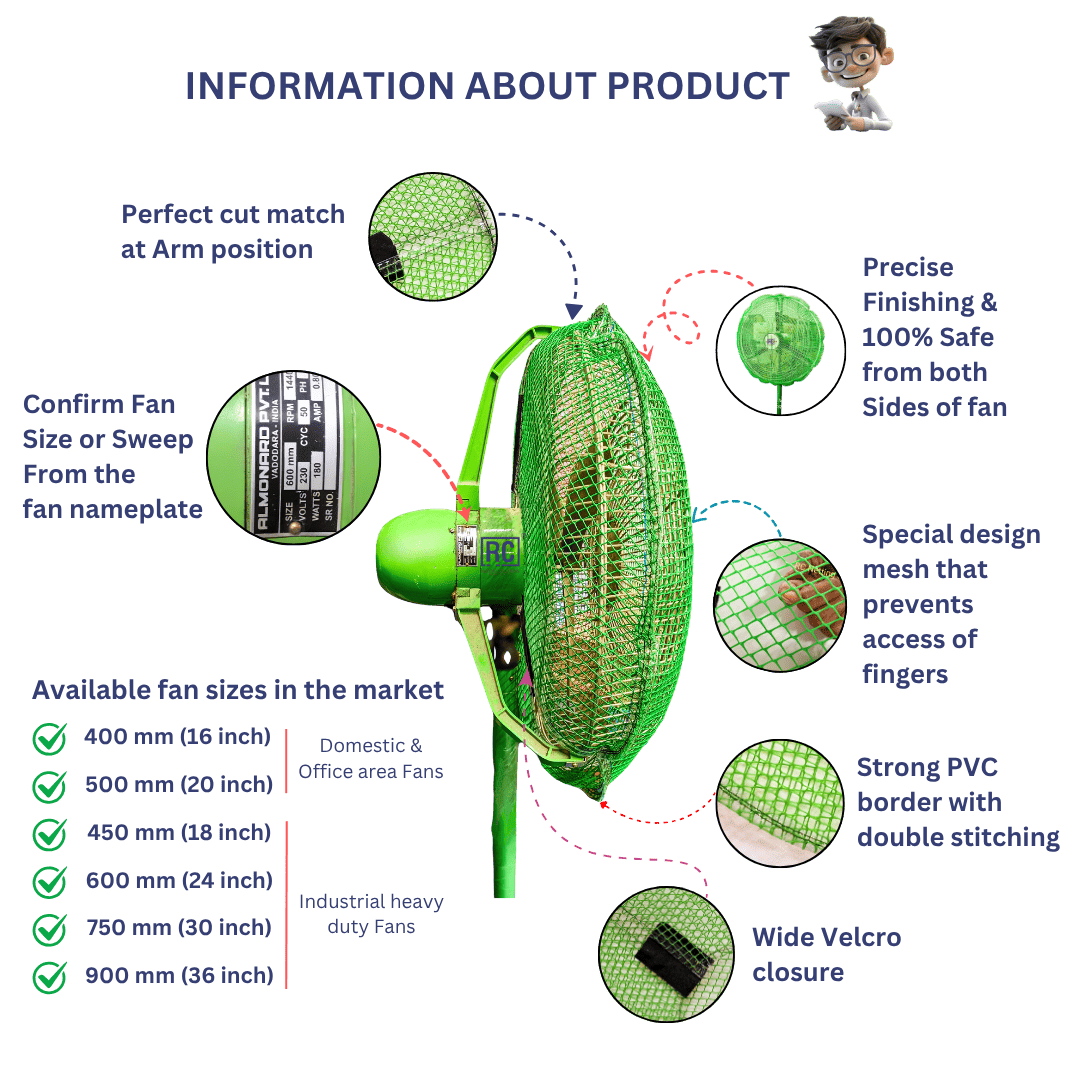
Check the manufacturer plate on the motor (e.g. Almonard, Havells, CG). Match the printed sweep size — 16″, 18″, 20″, 24″, 30″ or 36″ — before ordering.
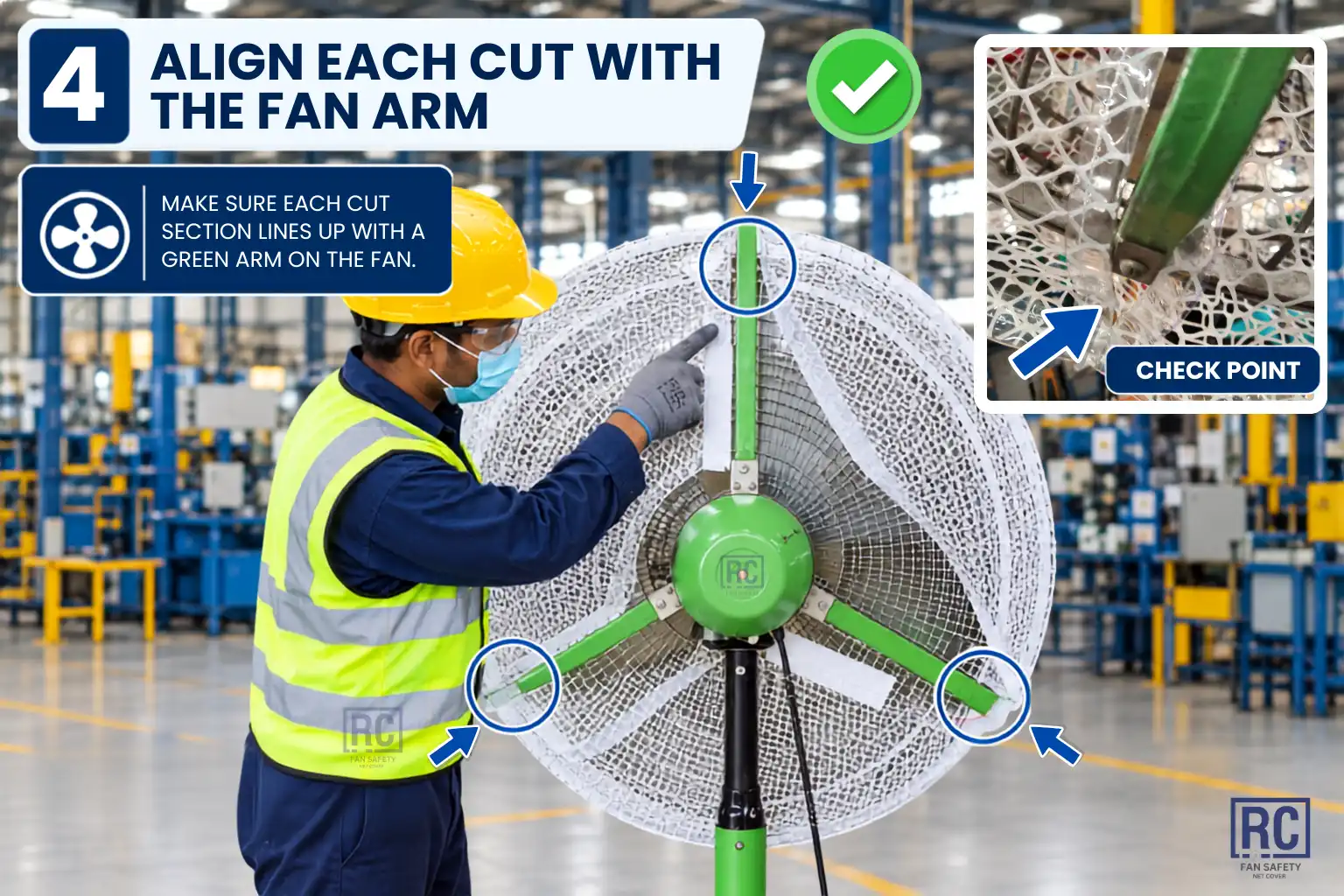
Each cover is cut to clear the fan support arm so the mesh sits flush without bunching or gaps around the yoke.
Precise finishing protects fingers from the front and rear of the grille — built for high-speed industrial pedestal and wall fans.
12 mm hexagonal virgin HDPE mesh is sized so fingertips cannot pass through, while airflow stays unobstructed.
Reinforced edge binding keeps the cover shape stable through daily factory use, cleaning, and re-fits.
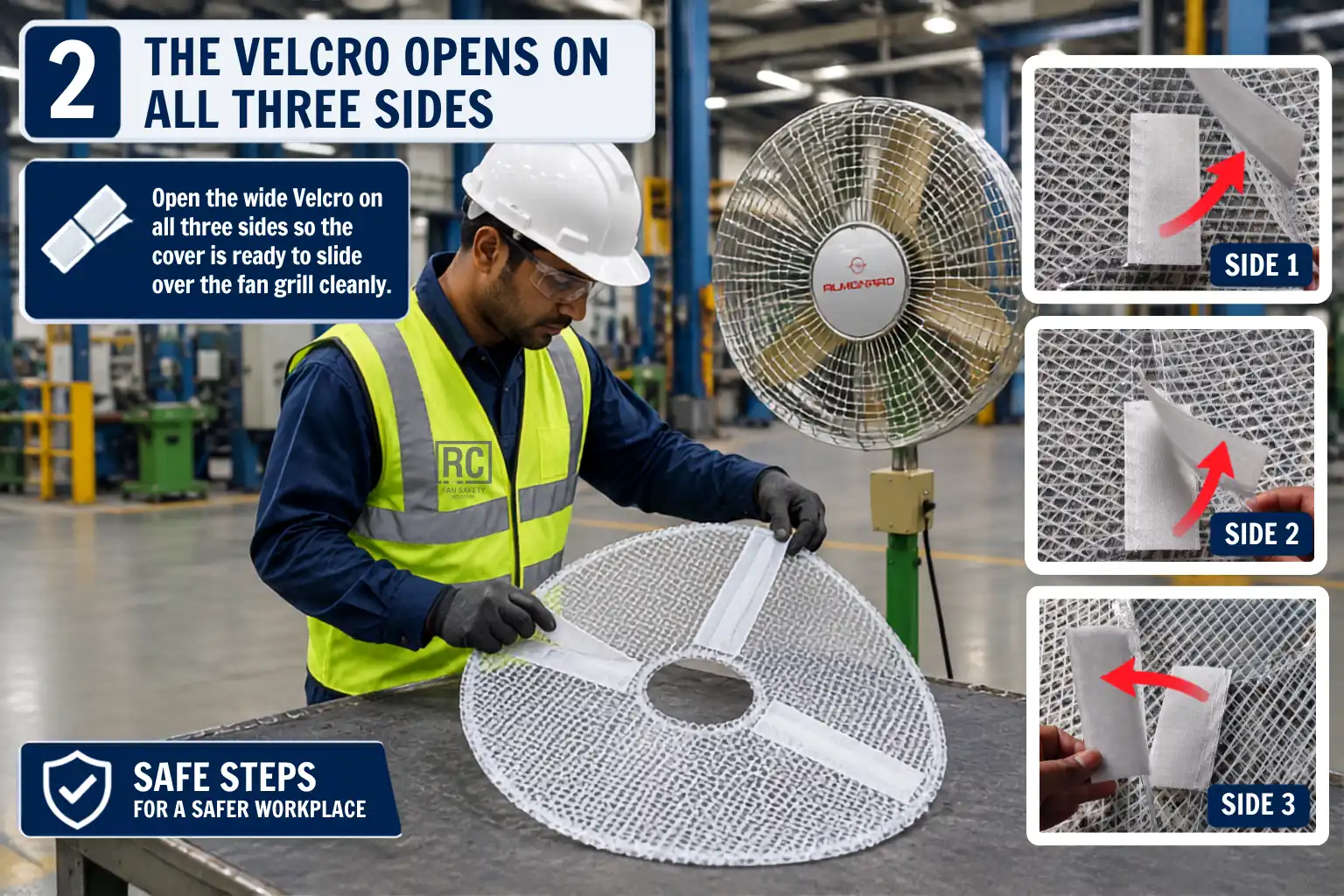
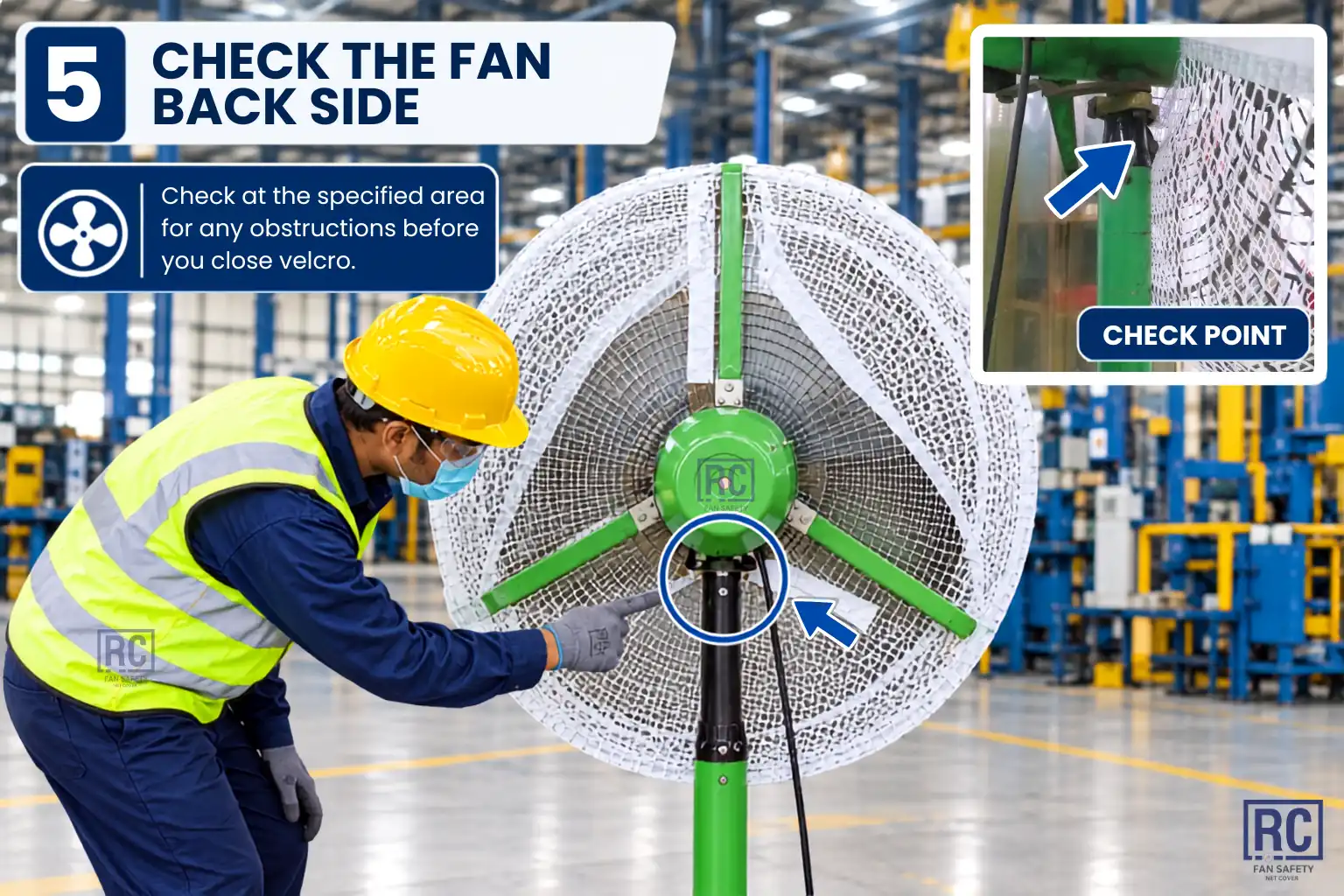
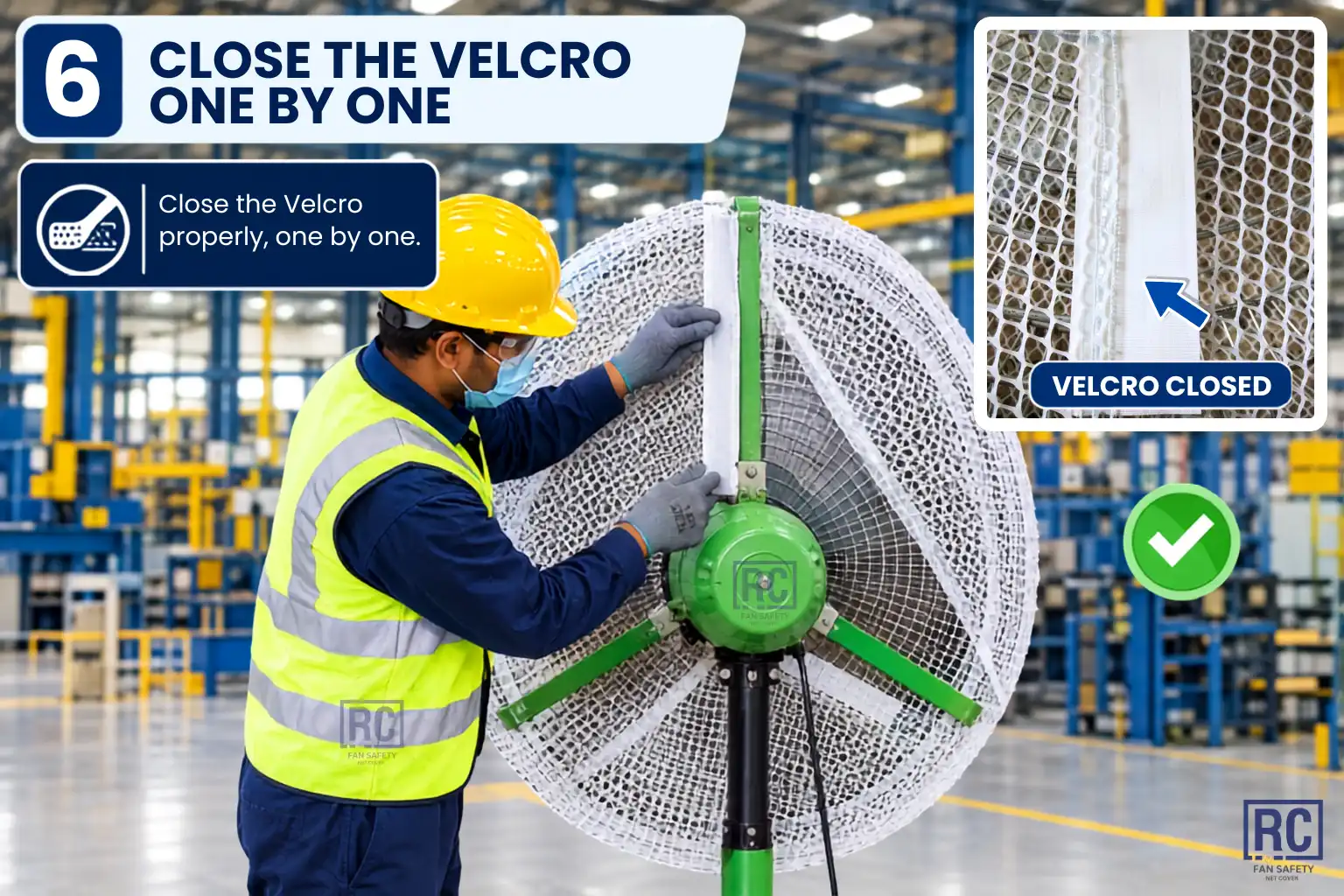
Industrial-width Velcro locks the cover in place — tool-free install and quick removal for maintenance windows.
Short factory demo of RC Fan Safety Net Cover fit, mesh clearance, and Velcro closure — use it with the written steps below.
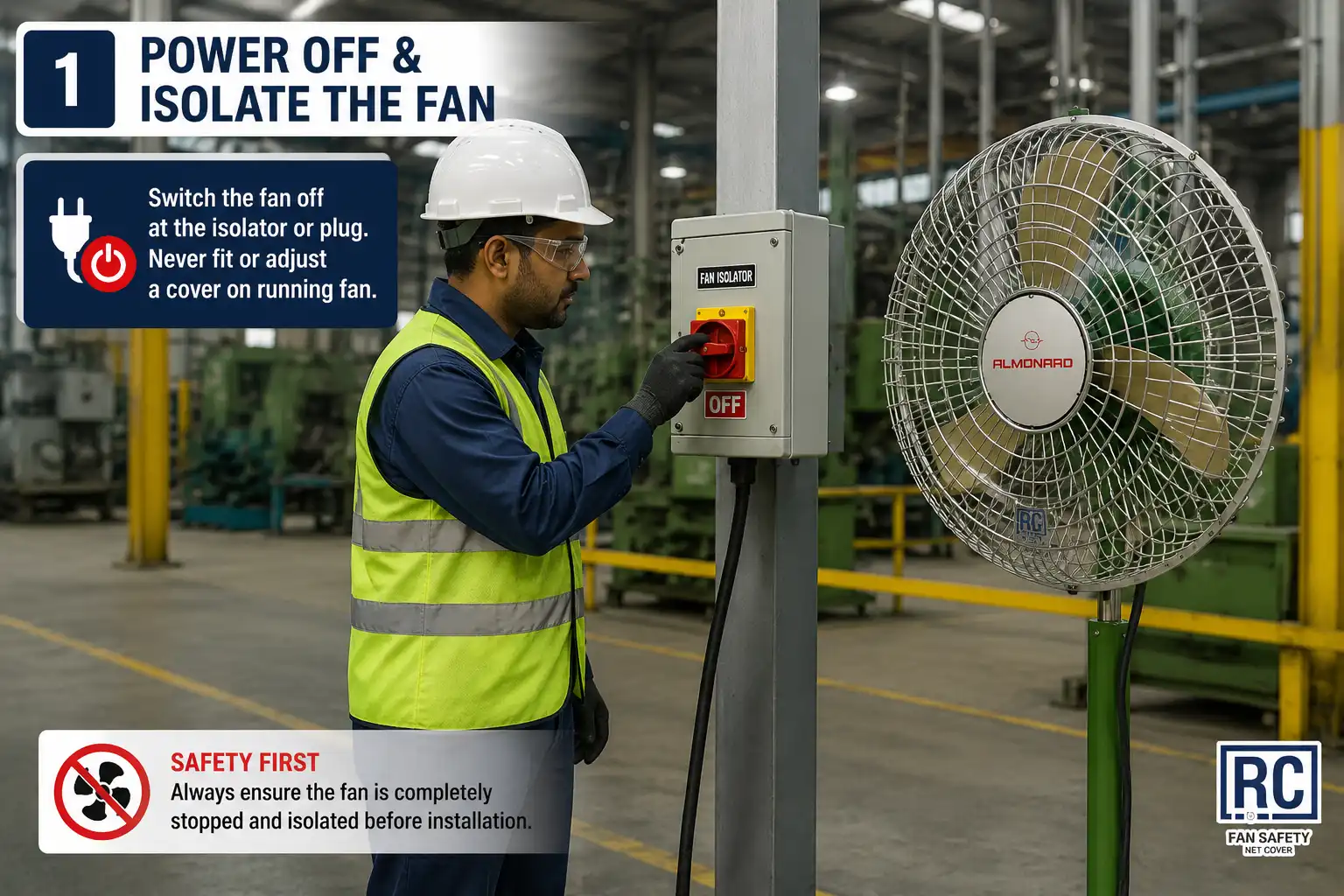
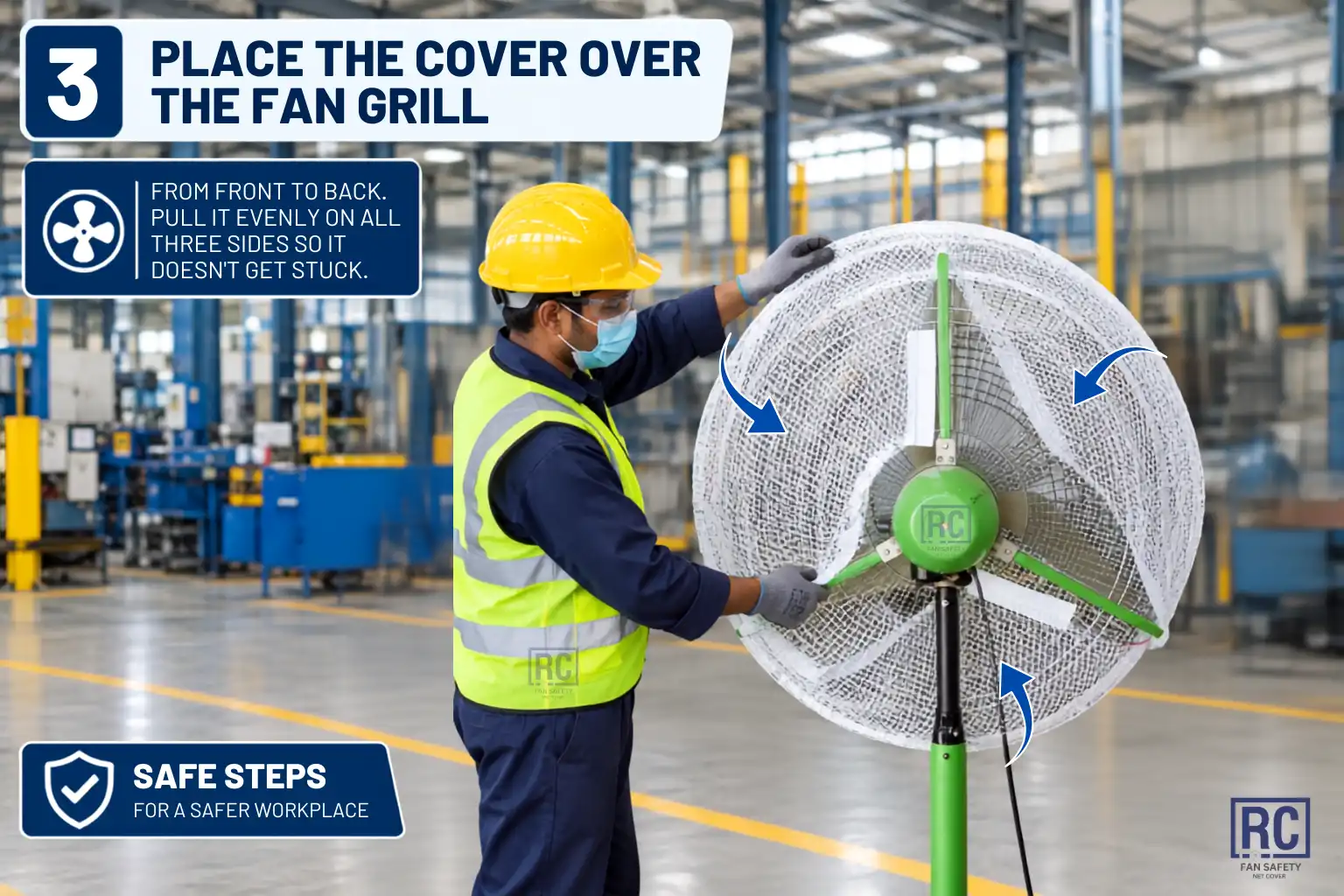
Open on YouTubeNo tools required — wide Velcro, arm-matched cut, and a final finger-safety check before you restart the fan.
Tip: For maintenance, open the Velcro, remove the cover, service the fan, then refit the same way. Keep one spare cover size per common sweep in your stores.
Scroll to advance · 7 steps
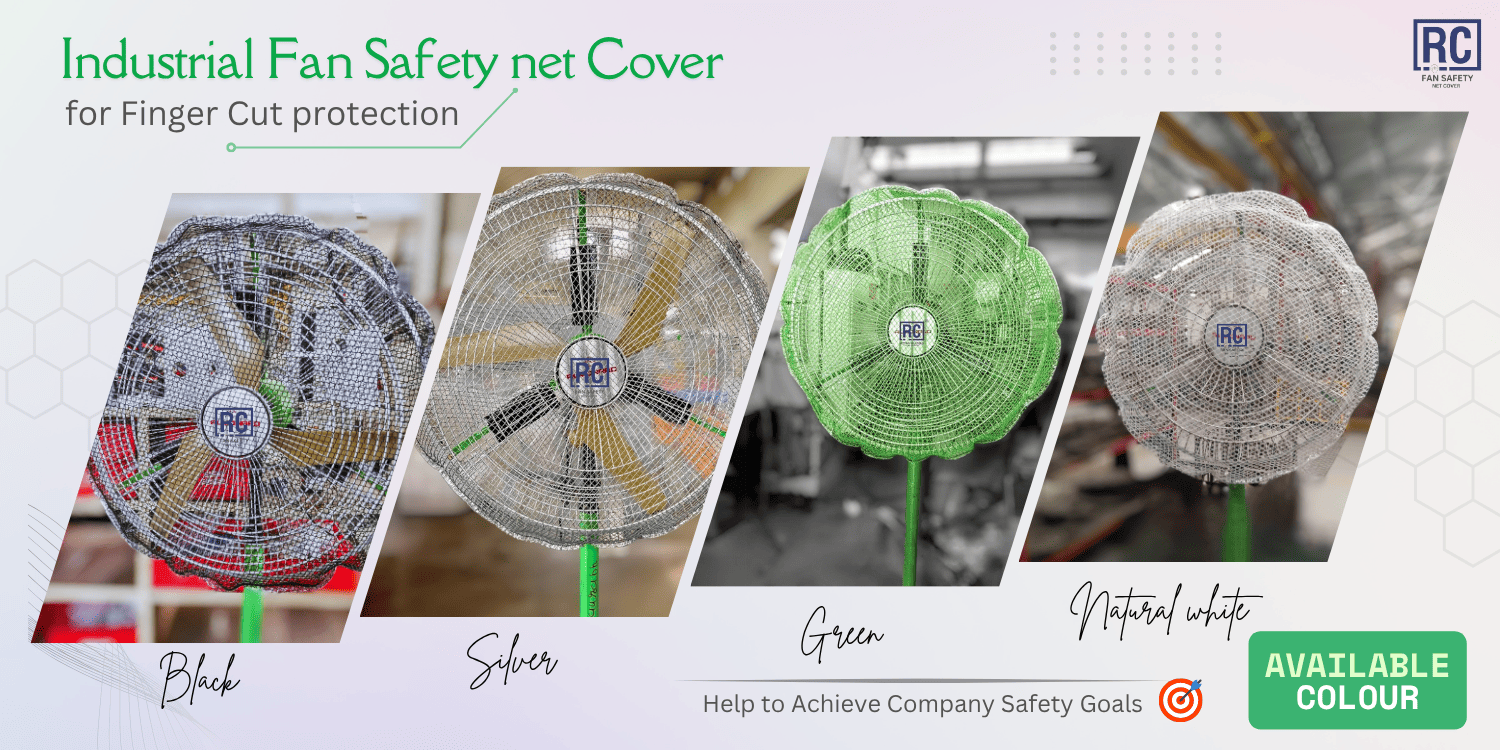
Share fan brand, nameplate size or sweep, colour, and quantity — we will confirm the correct RC Fan Safety Net Cover for your plant.